3 months free on every plan: run Enroute on your own trucks.

See pricing

Worker app for mechanics

The Mechanic's Job Card App

Assigned jobs, task timers, parts and photos, and sign-off, on the phone your mechanics already carry.
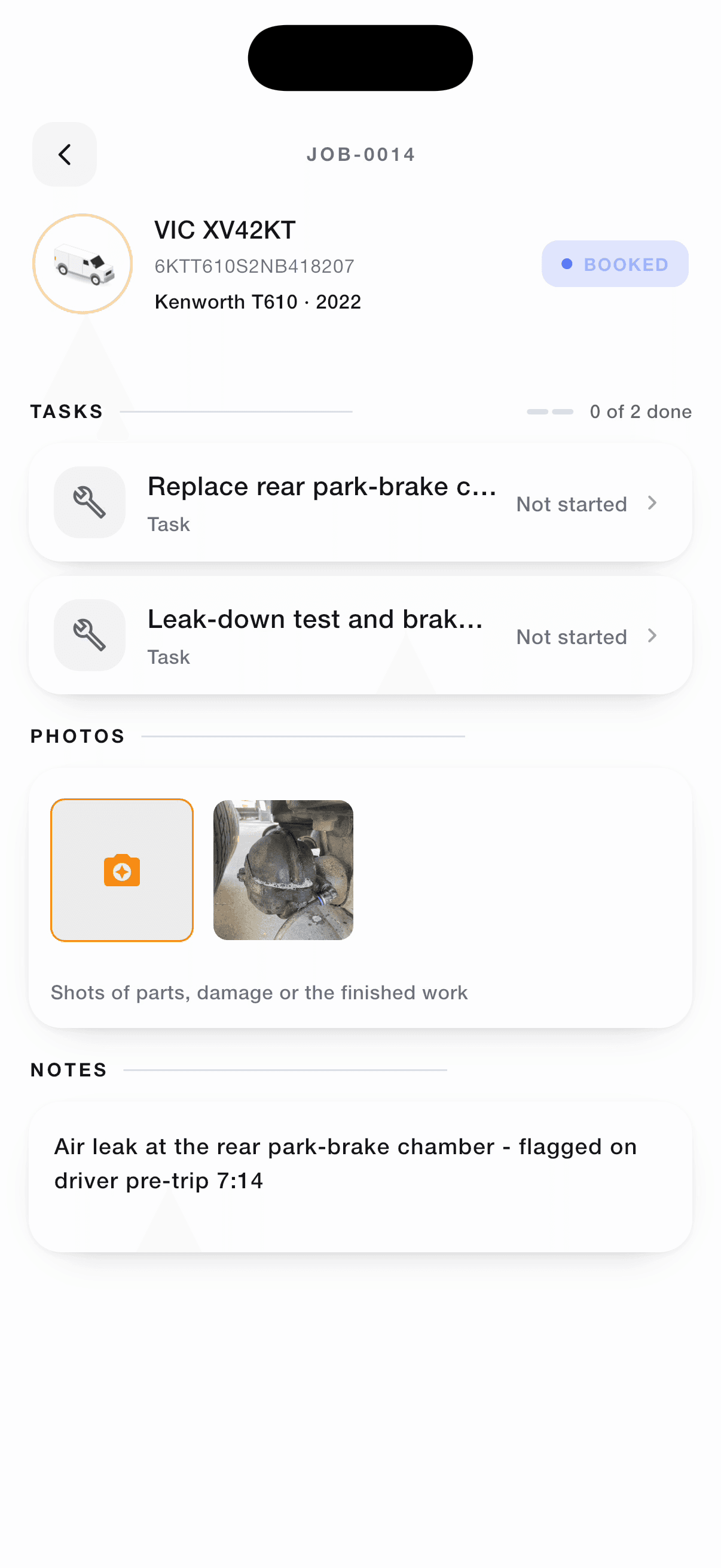
Job card JOB-0014 for VIC XV42KT: two tasks, the driver's photo and notes
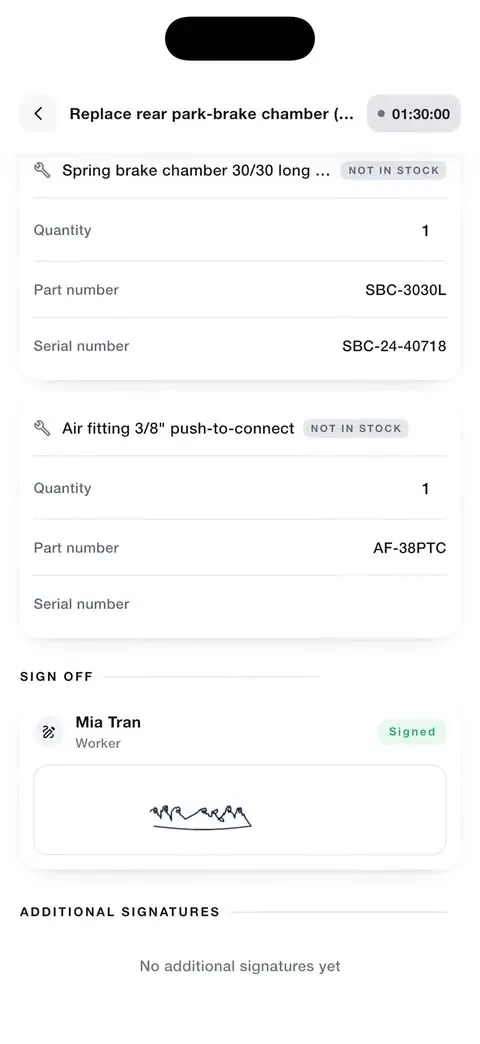
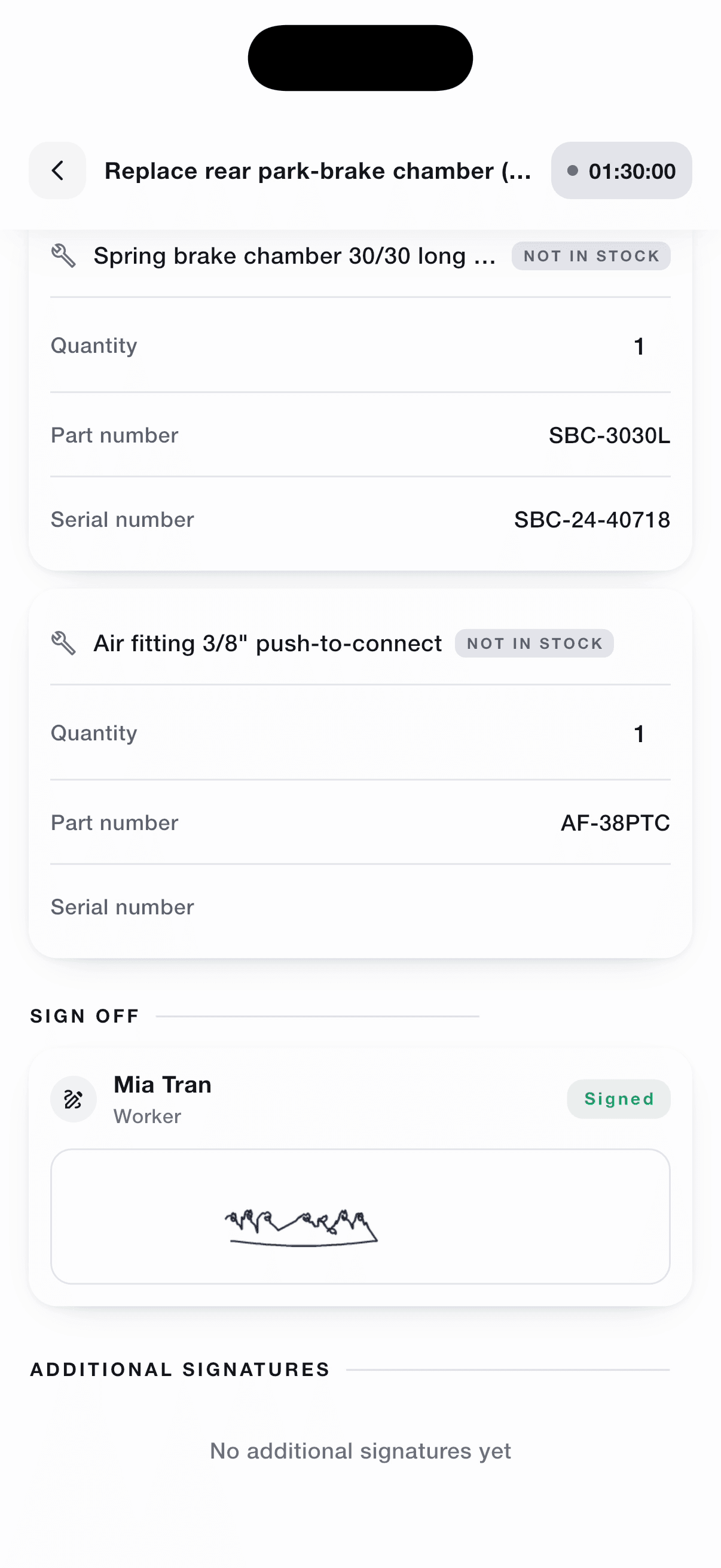
Task signed off by Mia Tran, 01:30:00 logged, parts with part and serial numbers
01:30:00
logged on the task

Everything a mechanic needs, on their phone

The Worker app replaces the paper job card: clear tasks, accurate hours and a record of the work, with nothing to re-type in the office.

Digital job cards

Every assigned job with its tasks and checklists, plus the driver's notes and photos.

Task timers and clock on/off

Time each task and clock on and off; the hours flow into the workshop's timesheets.

Parts and serial numbers

Record the parts used on each task, serial numbers included.

Photos and videos

Capture evidence on the job. If the signal drops, photos are kept and upload once it's back.

Sign-off and signatures

Sign off each task, and collect the customer's signature when the job needs one.

Breakdown call-outs

Head to a breakdown with its location on the map, and set your status to "on my way" for the office.

Less paperwork in the bay

Give mechanics the job, the time and the record in one place, and the office stops chasing.

  • Job cards on the phone instead of paper on the bench
  • Accurate hours for payroll and invoicing
  • Parts recorded on the job where they're fitted
  • Photos that survive a patchy signal
  • The office sees progress without a phone call
  • On iPhone and Android

Zero Paperwork

All job information, updates, and documentation in one mobile app
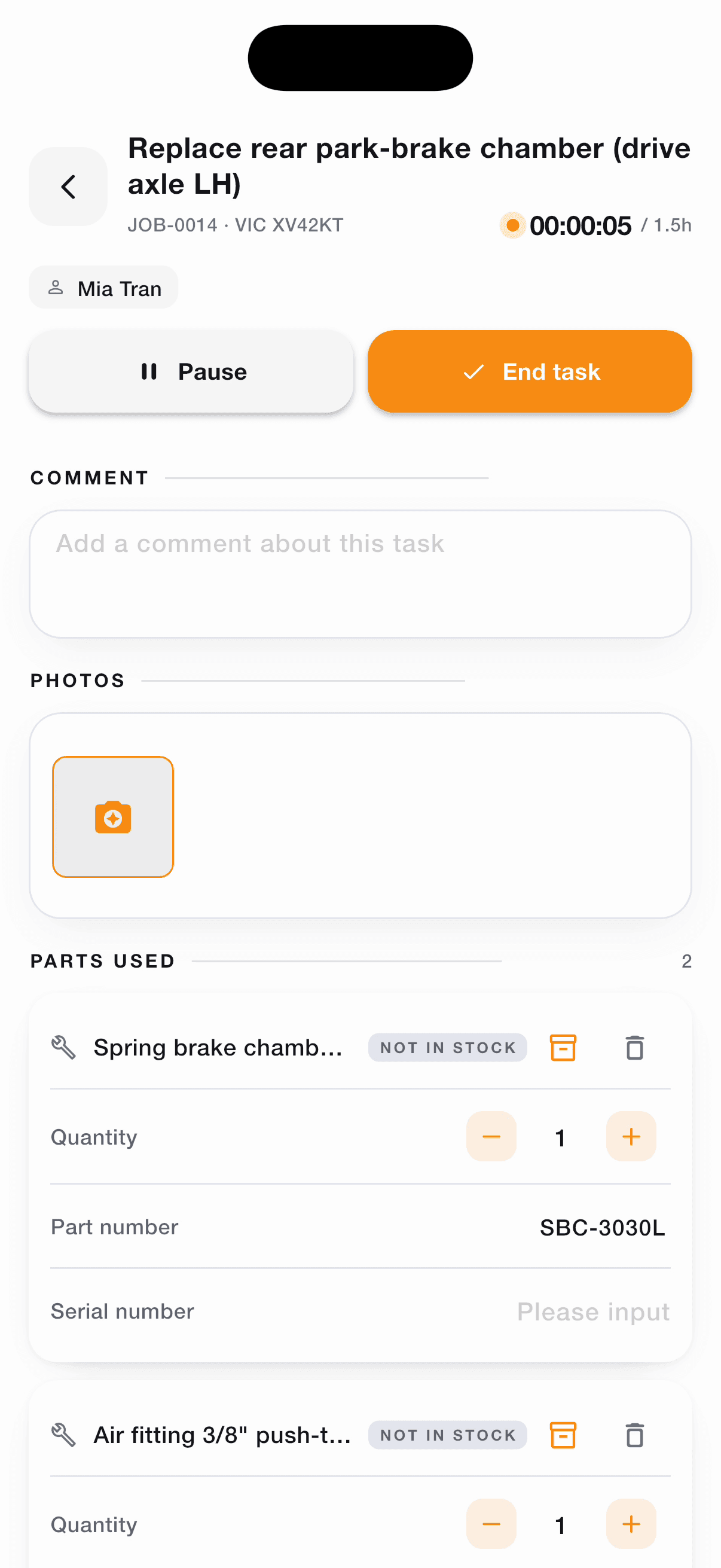
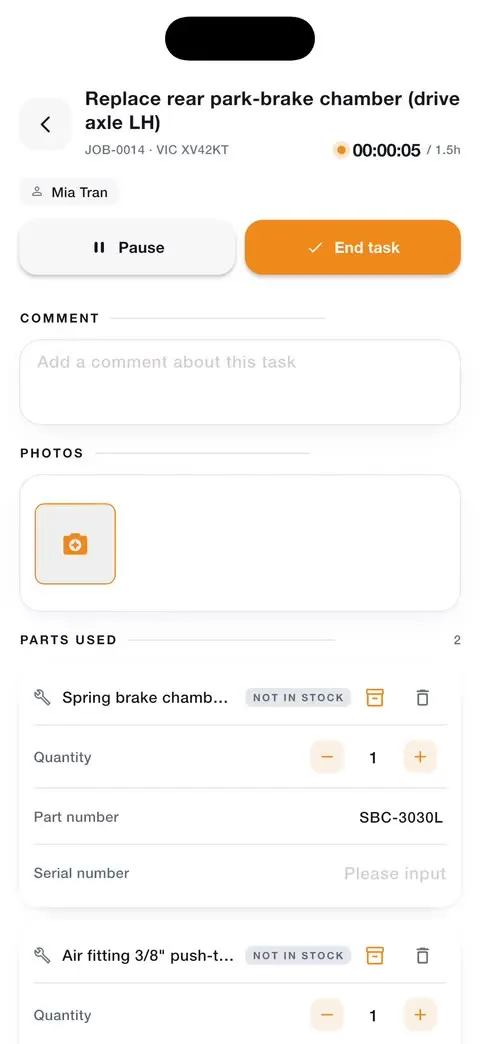
A task started in the worker app, the timer running

A typical day with Enroute Worker

How the app follows a mechanic's day in the bay

The day's job card for XV42KT

Mechanic job card app: common questions

Do mechanics need a computer?

No. The Worker app runs on iPhone and Android phones. The workshop office uses the Workshop platform in a web browser. About the Workshop platform.

How does the task timer work?

Mechanics start a timer on the task they're working on and stop it when they're done. The time is recorded against the job and on the mechanic's timesheet.

Can mechanics add parts and photos to a job?

Yes. They can add parts with serial numbers, plus photos and videos, each recorded against the task.

How is a job signed off?

Each task is signed off in the app, and you can collect a signature from the customer or another person.

Can more than one mechanic work on a job?

Yes. Tasks on a job can be assigned to different mechanics, each with their own time.

What if there's no signal in the workshop?

Photos are queued on the phone and upload when the signal returns, and clock entries are kept and synced. Other changes need a connection.

Give your mechanics a job card they'll actually use

See how the Enroute Worker app fits your workshop, with your own jobs and your own team.