3 months free on every plan: run Enroute on your own trucks.

See pricing

Driver app for iOS and Android

The Truck Pre-Start & Driver App

Daily pre-start checks, fault reports with photos, trips and a break timer, in one app your drivers carry.
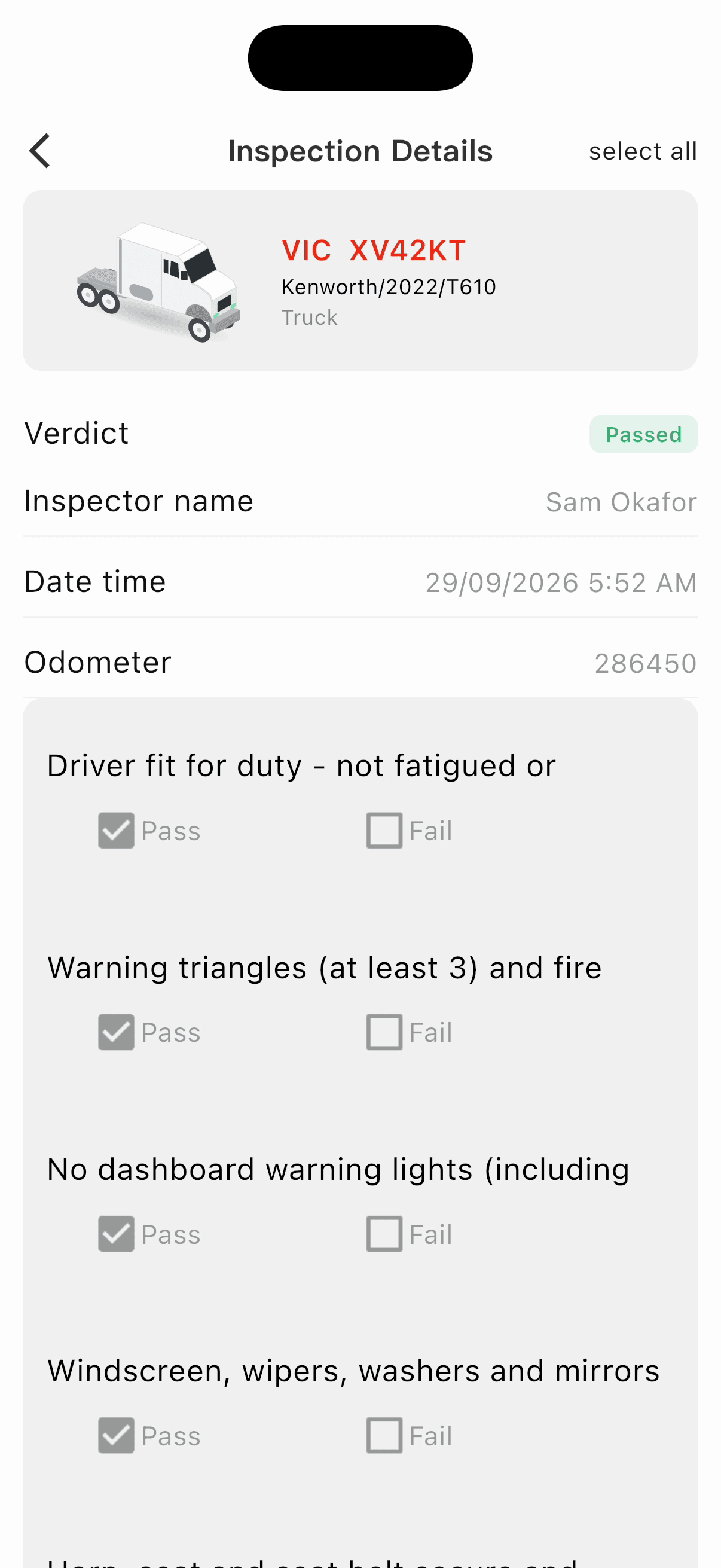
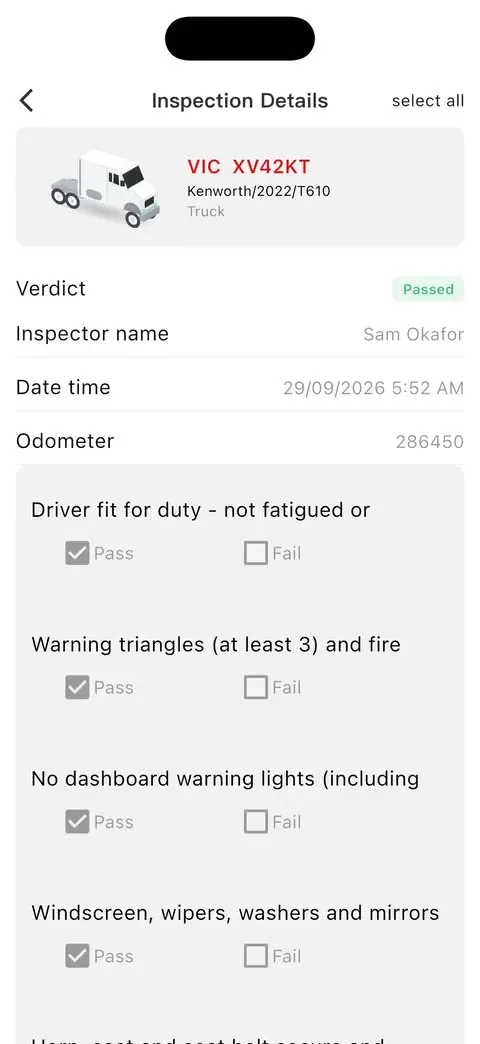
Pre-start inspection for VIC XV42KT, verdict Passed, 5:52 AM
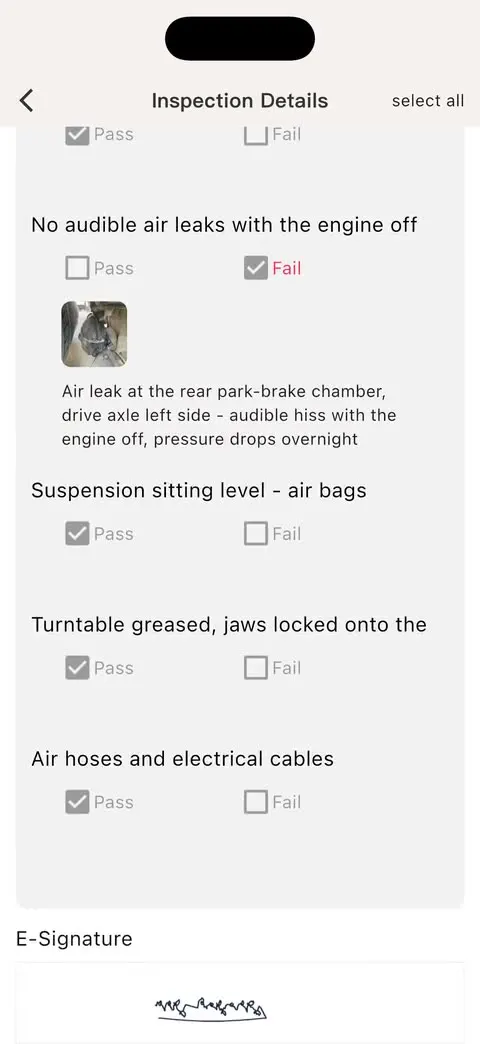
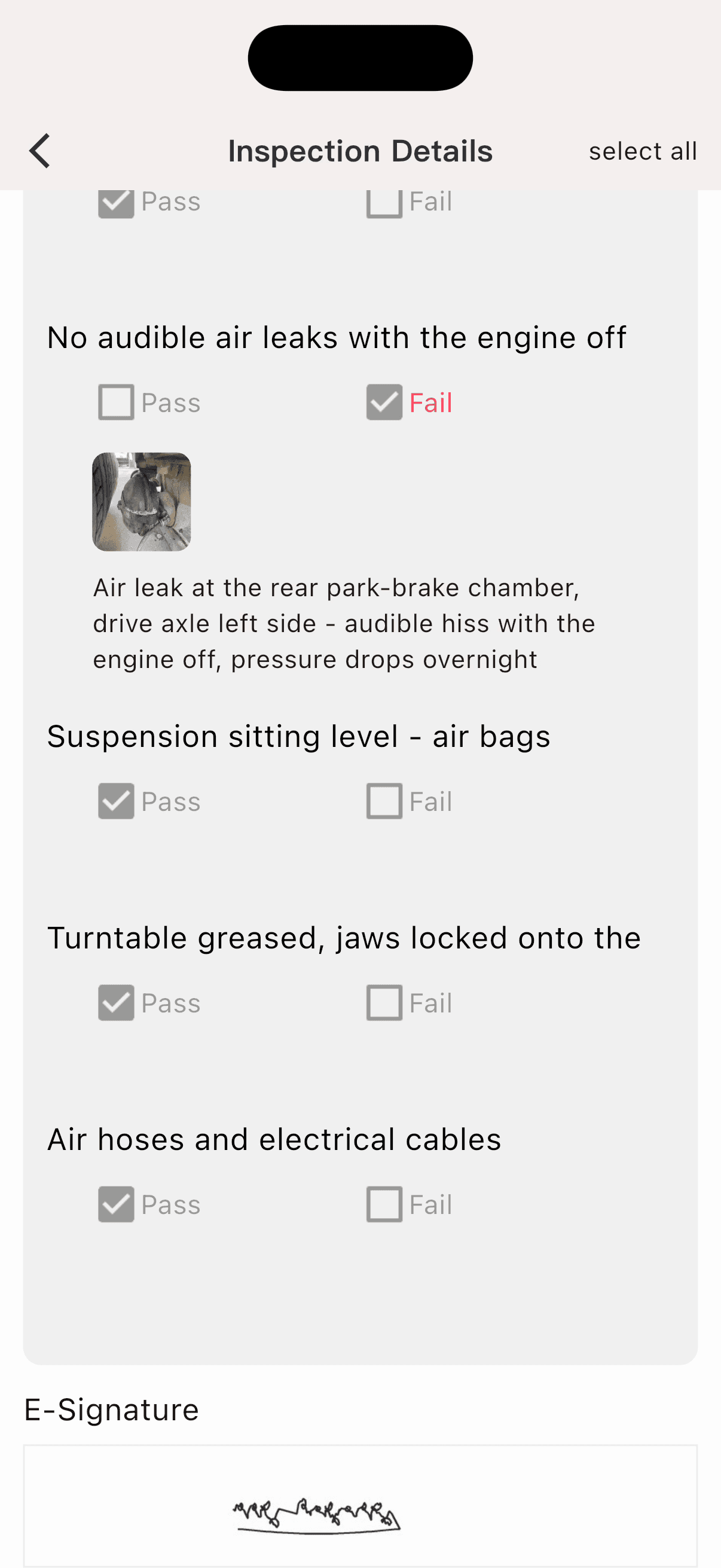
Failed check: air leak at the rear park-brake chamber, with photo and note
Passed
pre-start · 5:52 am

Built for drivers, from the first check of the day

The Driver app takes the paper out of pre-starts and fault reports, and keeps the office up to date as the day goes.

Digital pre-start checklists

Work through the daily check item by item, with photos and an e-signature. A failed check stops the trip.

Fault and breakdown reports

Report a fault or a breakdown with photos and location, and it goes straight to the workshop.

Trips and instructions

See today's trips and delivery points; trips finish automatically on arrival.

Timesheets and break timer

Track the shift and its breaks, with a countdown to the next break that's due.

Live sync with the office

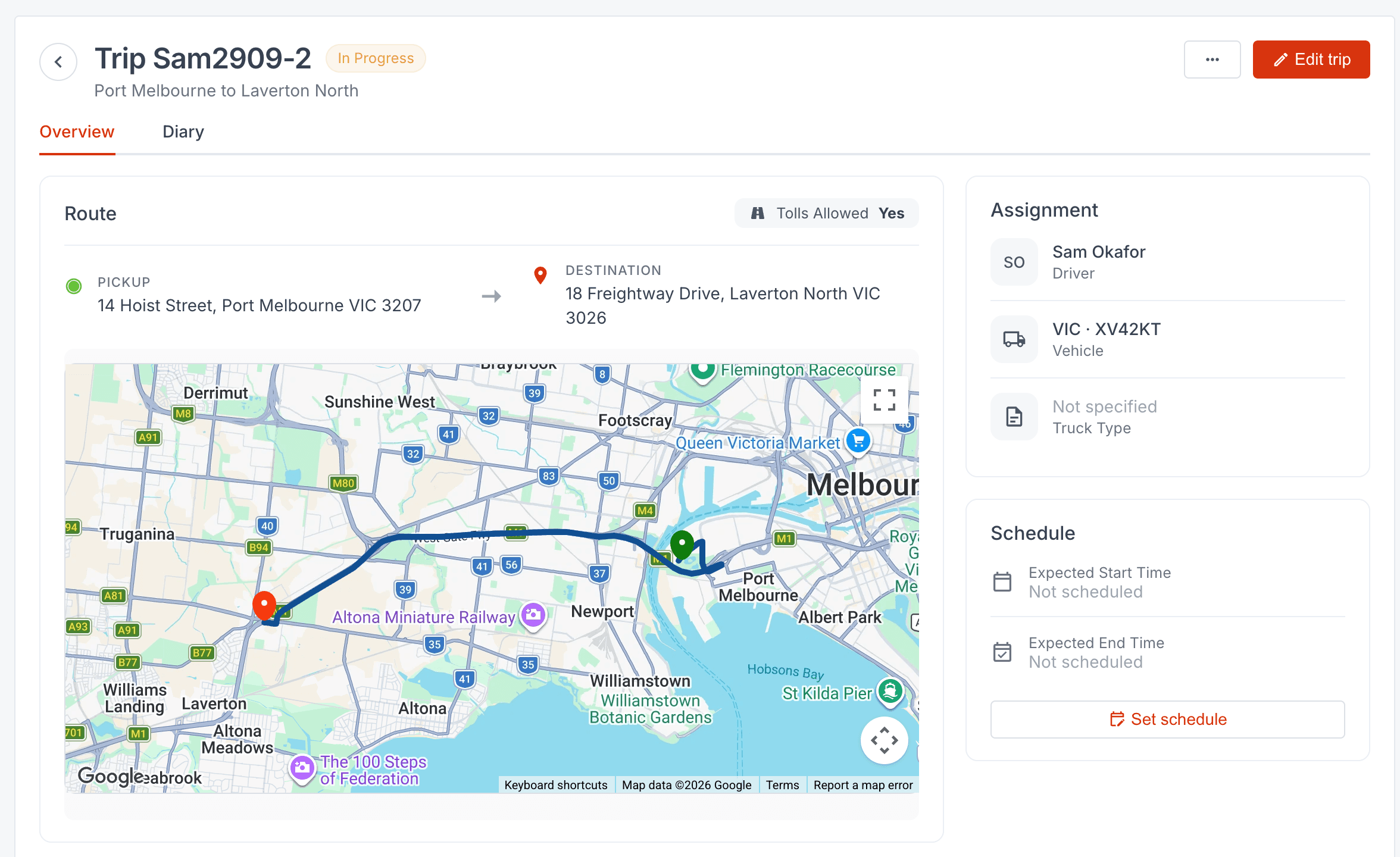
Pre-starts, faults and trips appear on the Logistics platform as they happen.

Nearby facilities

Find workshops, fuel, EV charging, toilets and parking near where you are.

Pre-starts that actually get done

A check the driver can't skip, and a fault the workshop sees before the truck arrives.

  • No pre-start, no trip: a trip can't start without a passed check that day
  • Photos and notes on failed items
  • A default checklist based on NHVR daily-check guidance, or your own
  • Truck and trailer checklists
  • Every check kept on record, with an e-signature
  • On iPhone and Android

From check to trip

A passed pre-start unlocks the day's trip; a failed one gets the truck to the workshop.
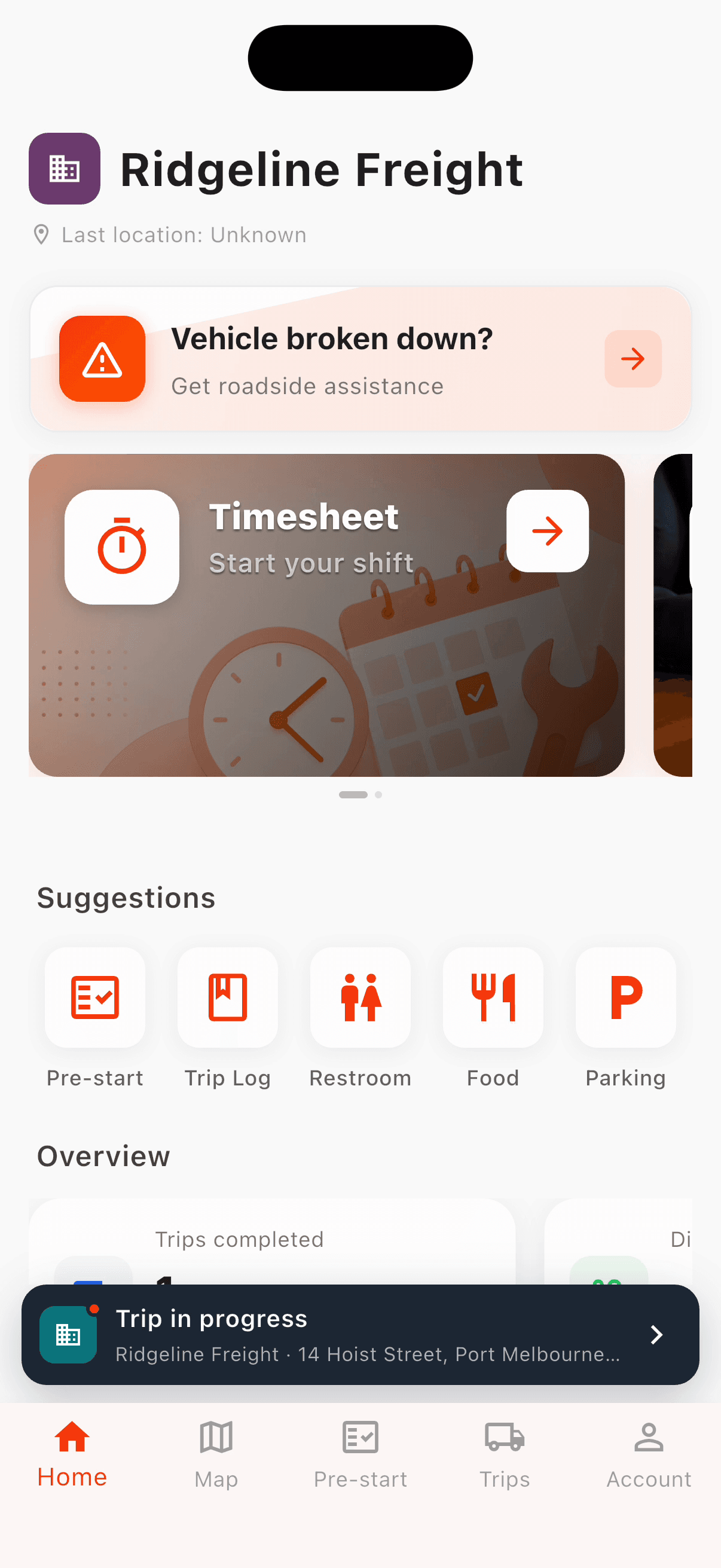
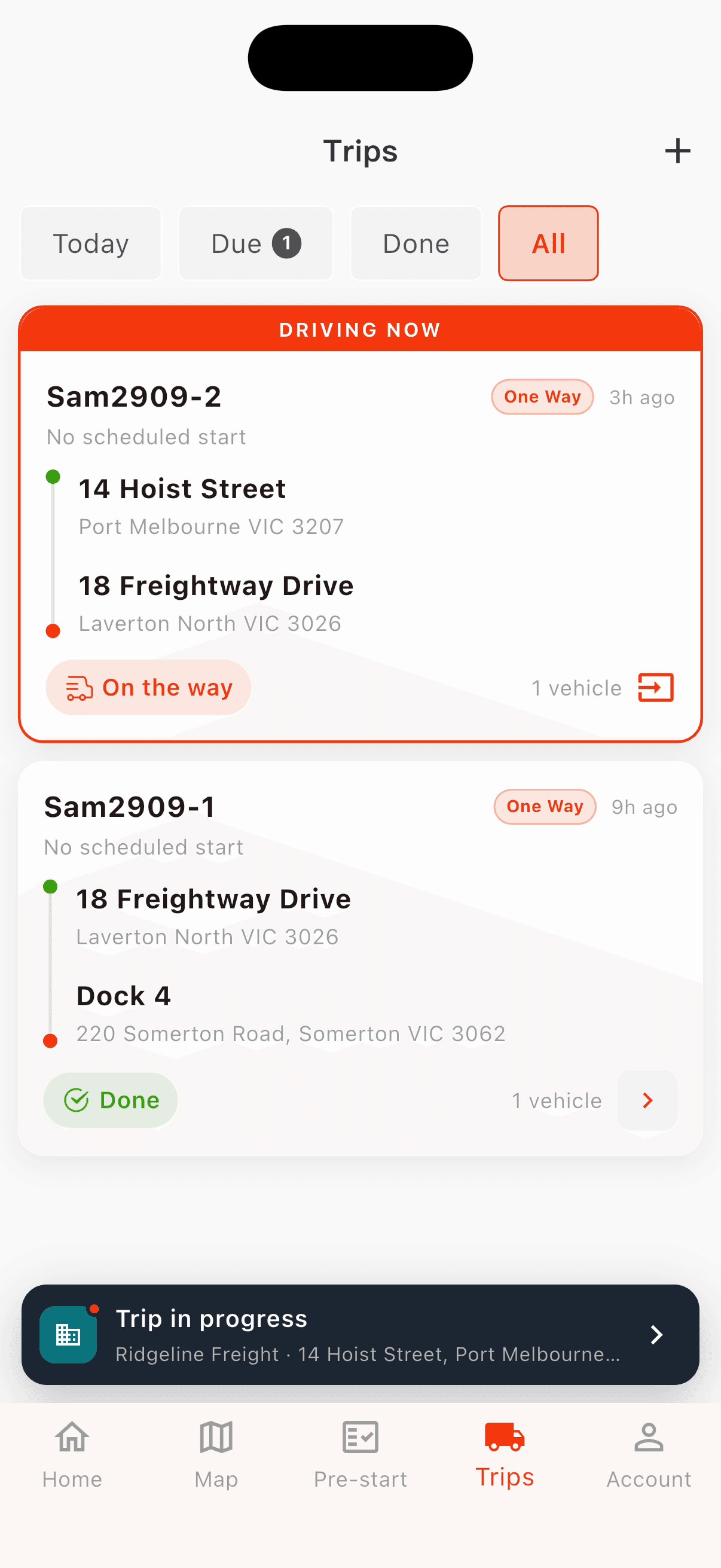
Driver app home for Ridgeline Freight: breakdown help, timesheet and the trip in progress

A shift in the Driver app

The driver completing the pre-start check

Pre-start checklist app: common questions

What does a truck pre-start check cover?

The default daily check has 19 vehicle items, in the order a driver walks the truck: in-cab, identification and leaks, lights, wheels and tyres, chassis and air, and towing connections. There are also 14 trailer items, including load restraint. See the full pre-start checklist.

Can drivers attach photos to a fault?

Yes. Drivers can add a photo and a note to any failed item. Fault and breakdown reports carry photos and the truck's location.

What happens after a driver reports a fault?

It goes to the workshop as a request with the vehicle, photos and location, and the office sees it on the Logistics platform.

Can we use our own checklist?

Yes. Build your own checklists in the Logistics platform. If you don't, the default heavy vehicle checklist is ready to use.

Does the app work without mobile signal?

The Driver app needs a connection to submit checks and trips. If the signal drops, it reconnects automatically when coverage returns.

Is it an electronic work diary (EWD)?

No. The app records shifts and breaks for your own records, but it isn't an NHVR-approved electronic work diary.

Is it on iPhone and Android?

Yes. The Driver app is on the App Store and Google Play.

Give drivers a pre-start they'll actually use

Download the Driver app, or book a demo and we'll set it up with your own vehicles and checklists.